
How to Watch DAZN Abroad With a VPN
Traveling with a DAZN subscription? How EU portability works, how to watch from home servers with a VPN, and what DAZN's error codes mean.
Yes, you can usually keep watching DAZN when you travel, but what you see depends on where you are, not on where you pay. The rules differ inside and outside the EU, and a VPN only helps with the subscription you already have:
- Inside the EU and EEA, portability rules let you watch your home country’s DAZN as if you were at home, as long as your account has a valid recurring payment method.
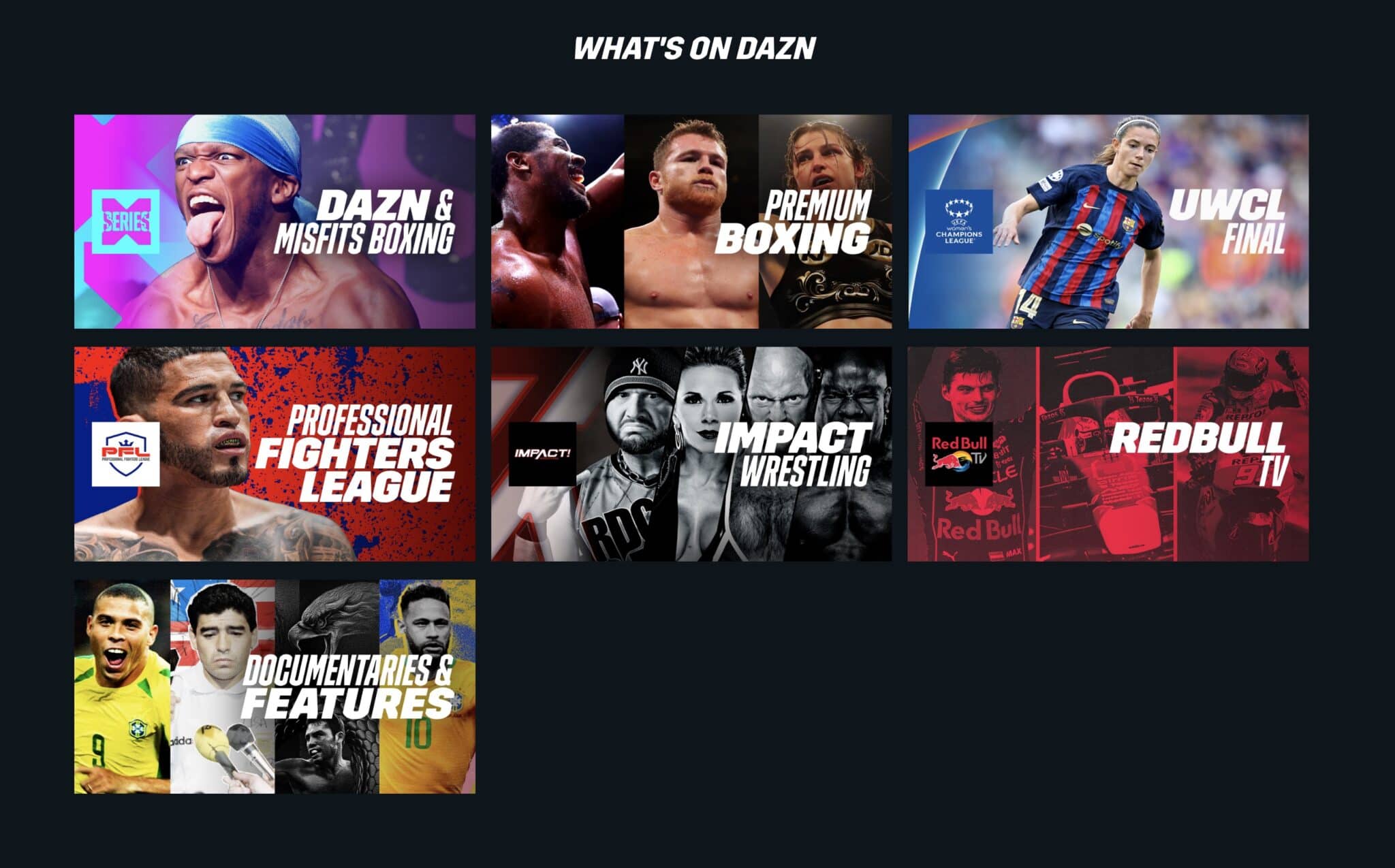
- Outside the EU, you can still sign in, but you’ll see free content and events DAZN holds worldwide rights to, such as Matchroom boxing or the Women’s Champions League. The paid catalogue of your home country stays locked.
- With a VPN connected to a server in your home country, DAZN sees a home IP address and shows your usual catalogue.
There is one caveat you should know up front. DAZN’s help centre says it does not support VPNs, and its pages describe restricting VPN connections to protect licensing deals. Plenty of subscribers still use one with their own paid account, but it goes against DAZN’s policy, so a stream can stop if the server you use gets detected. This guide shows how to set it up properly, which errors to expect and which shortcuts to skip.
Why DAZN changes by country#
DAZN is available in more than 200 countries and territories, but it doesn’t own the same rights everywhere. Leagues and promoters sell rights country by country, so the DAZN app in one country can look completely different from the app next door. Here is what the biggest markets carry in the 2026/27 season:
| Country | Typical DAZN highlights |
|---|---|
| Italy | All 10 Serie A matches every round, seven of them exclusive |
| Spain | Five LaLiga matches per matchday |
| Germany | Bundesliga: the Saturday afternoon Konferenz and all Sunday matches |
| Japan | J1 and J2 League |
| United Kingdom | Serie A and National League, plus boxing |
| Most countries | Boxing, plus NFL Game Pass outside the US and China |
Your catalogue is tied to the country where you opened the account, because DAZN’s terms let you stream only the content available in that country. That’s why a match you watch every week at home can show a padlock or vanish once you land somewhere else. It isn’t a fault, since the event simply isn’t licensed where you are.
A few other things are worth knowing before you travel:
- Two streams, one network. Most plans let one account play on two devices at the same time, but only if both are on the same network. Your phone on hotel Wi-Fi and a family member’s TV at home count as two locations, which triggers a limit error. Some plans are stricter: the US Monthly plan allows one device, and any pay-per-view event plays on one device only.
- A free option. In many countries you can register with just an email address and watch selected live events, highlights and other content without paying. What’s free differs by country.
- Boxing pay-per-views. DAZN’s Ultimate plan, launched in November 2025 in more than 170 countries, includes at least 12 pay-per-view events a year. Other pay-per-views are still sold separately, and Ultimate wasn’t offered at launch in several big markets, including Spain, Italy, Germany and Japan.
- NFL Game Pass. A Game Pass bought on DAZN goes with you to most countries, because the NFL sells it worldwide outside the US and China.
How to watch DAZN while traveling#
1. Check whether you need a VPN at all#
If you live in the EU or EEA and are traveling inside it, try DAZN without a VPN first. Portability should give you your home catalogue automatically, but only if your account has a valid recurring payment method. DAZN warns that accounts opened with a gift card or code and no card may be refused portability, and that it can’t change this afterwards.
2. Set up the VPN before you leave#
Install and test the VPN at home, where its website and app stores work normally. FineVPN works with standard WireGuard and Xray clients on Windows, macOS, Linux and iPhone, has its own Android app and can run on OpenWRT or EdgeOS routers. One subscription covers up to five devices, and the 14-day free trial needs no card, so you can check it with DAZN before the trip.
3. Connect to a server in your home country#
Pick a server in the country where your DAZN account is registered, not just a nearby one. A German account needs a German server, and a Canadian account needs a Canadian one.
4. Check what DAZN will see#
DAZN’s own troubleshooting advice is to open MaxMind’s “Locate my IP address” page, which shows where its database places you. With the VPN on, it should show your home country. If it shows somewhere else, reconnect to another server in that country.
5. Start DAZN fresh#
Close and reopen the app, or clear the browser cache, so DAZN doesn’t reuse your old location. On a phone, also turn off location access for the DAZN app, then sign in and start the stream.
Tips for live sport#
- Use the WireGuard protocol. It adds the least delay of the protocols FineVPN offers, which matters for live events.
- Stay in the same country. Jumping between countries can look like account sharing and trigger extra checks.
- If one server stops working, switch to another server in the same country rather than to another country. Since the start of the 2026/27 season, users report that DAZN catches more VPN servers than before, so keep a second server in mind.
- Check your mobile data. A roaming SIM usually sends traffic out through your home country, so DAZN may already see you at home without a VPN. A local eSIM does the opposite.
- Connect early. Test the stream before kick-off or the first bell, not during it.
DAZN error codes and how to fix them#
Not every DAZN error means your VPN was spotted, so find your code first and then fix the right thing.
Location and VPN errors#
DAZN doesn’t publish these codes in its error guide. The meanings below come from the on-screen messages users report and from VPN testers.
| Error | What it usually means | Fix |
|---|---|---|
| “DAZN is not available in your country” | You’re outside a supported country, or your IP is flagged as a VPN or proxy | Check your IP on MaxMind’s page and reconnect to another server in your home country |
| 50-006-403 | The on-screen message says you can only use DAZN in the country where you created your account | Connect to a server in the country your account was opened in |
| 50-075-403 | A VPN or proxy was flagged during sign-up or payment | Sign up and pay from home, without a VPN |
| “Payment methods unavailable” | The payment step refuses a VPN connection | Turn the VPN off and pay from home |
| 10-000-0 (“No Key Found”) | A VPN was detected at sign-in | Switch servers in the same country, clear the cache and sign in again |
| 51-132-403 | A VPN was detected while creating the account | Create the account at home, without a VPN |
| Padlock on an event | That event isn’t licensed for your account’s country | Nothing to fix, because no setting will change it |
Errors that have nothing to do with location#
These come from DAZN’s own error guide, and turning the VPN on or off won’t fix them.
| Error | Meaning | Fix |
|---|---|---|
| 65-801-403, 65-068-403 | Two-device limit reached | Stop the stream on another device and wait a few minutes |
| 10-022-003 | Bandwidth too low for playback | Use a wired connection or a stronger network |
| 50-049-401 | Wrong email or password | Reset the password |
| 10-002-007 | Payment couldn’t be processed | Update the payment method in My Account |
| 10-129-054 | New or reactivated account still being set up | Wait up to 24 hours |
| 83-000-404 | The event has ended | Go back to the home page |
| 10-000-000 | General error | Refresh, clear the cache or try another browser or device |
VPN or proxy for DAZN?#
We sell proxies, and we still don’t recommend them for DAZN. Here’s why, from the network side:
- Datacenter IPs are the first thing streaming services refuse. DAZN checks your IP against databases that label ranges as hosting or proxy addresses, and a typical proxy IP sits in a datacenter range that gets flagged almost immediately.
- Shared IPs look suspicious. Many proxy plans share each IP among several users, and many accounts appearing from one address is exactly the pattern anti-fraud systems watch for.
- A proxy covers only what you configure. Smart TV, console and mobile DAZN apps have no proxy setting, and in a browser, DNS requests and WebRTC can still reveal your real location.
- A VPN covers the whole device. All traffic and DNS go through the tunnel, and VPN services that support streaming replace servers that get flagged.
| VPN | Proxy | |
|---|---|---|
| Works in DAZN apps on TVs and phones | Yes | No |
| Hides DNS and location leaks | Yes | Not by default |
| Encryption on hotel or airport Wi-Fi | Yes | Usually no |
| Typical IP type | Servers rotated for streaming | Datacenter, often shared |
| Best for | Streaming and privacy | Web scraping, automation, multi-account work |
So use a VPN for DAZN, and keep proxies for the jobs they’re built for.
DAZN on TVs, consoles and routers#
| Device | How to use a VPN with DAZN |
|---|---|
| Phone, tablet, computer | Install the VPN app and connect before opening DAZN |
| Android TV, Fire TV | Install an Android VPN client if your device supports it; otherwise use a router |
| Samsung or LG smart TV, PlayStation, Xbox | These can’t run VPN apps, so use a router with the VPN or share a connection from a laptop running it |
| Hotel or rental TV | Bring a small travel router set up with the VPN and connect your streaming stick to it |
Two traps catch people most often:
- Casting doesn’t carry the VPN. When you cast DAZN from your phone to a Chromecast or smart TV, the TV fetches the stream itself over the local network. DAZN then sees the hotel’s location, not your VPN, so run the VPN on the device that actually plays the stream, or on the router.
- A router VPN covers everyone on that network. That’s handy in a holiday flat, but every device there will appear to be in your home country until you switch it off.
What to avoid#
- Signing up “from” a cheaper country. DAZN prices vary by country, and some guides suggest subscribing through a VPN where it’s cheaper. DAZN asks you to sign up in the country where you permanently live, its payment step often refuses VPN connections, and an account opened that way can be closed under its terms. Open your account at home, with a local payment method.
- Buying “cheap DAZN accounts”. Resold or shared logins hit the device limit, get reset by their real owners and are a common source of lost accounts.
- Expecting a VPN to make DAZN free. A VPN changes your location, not your subscription, and the only legal free content is DAZN’s own free option.
- Free VPNs. Their servers are the most likely to be flagged, they’re often too slow for live sport, and some make money from your data.
- Pirate streams. Unofficial “free DAZN” sites are full of malicious ads and drop out mid-event. For legal free sport, see our guide to free NFL live streams, which covers free broadcasters country by country.
As for legality, using a VPN is legal in most countries, though a few restrict it. Using one against DAZN’s policy is generally a matter of its terms rather than criminal law, but it can cost you your account, so keep it to watching the subscription you already pay for. If you’d like to test that before a trip, the FineVPN free trial runs for 14 days without a card.
Can I watch DAZN when I'm abroad?
Inside the EU and EEA, portability gives you your home catalogue. Elsewhere you can sign in, but you'll only see free content and events DAZN holds worldwide rights to, unless you connect through a VPN server in your home country.
Does DAZN detect VPNs?
Yes. DAZN says it doesn't support VPNs and refuses addresses it identifies as VPNs or proxies. Services built for streaming replace servers once they get flagged, which is why some VPNs work and others don't.
Why does DAZN say it's not available in my country?
Either you're outside a supported country, or your IP address is flagged as a VPN or proxy. Check your IP on MaxMind's "Locate my IP address" page and reconnect to another server in your home country.
Can I use a proxy instead of a VPN for DAZN?
It's a poor fit. Proxy IPs are usually datacenter addresses that DAZN flags quickly, and DAZN apps on TVs and phones can't use a proxy at all.
Will DAZN ban my account for using a VPN?
DAZN doesn't publish penalties for VPN use. The usual result is a stopped stream or an error code, while signing up or paying through a VPN is riskier, because that's where DAZN checks most closely.
How many devices can watch DAZN at once?
On most plans two at the same time, as long as both devices are on the same network. The US Monthly plan allows one device, and pay-per-view events play on one device only.
Does FineVPN work with DAZN?
Yes, FineVPN lists DAZN among the services it supports. Connect to a server in the country your DAZN account is registered in, then open DAZN, and use the 14-day free trial to test it before you travel.
Is DAZN free?
Partly. In many countries a free account, opened with just an email address, includes selected live events and highlights, while the full catalogue needs a paid plan.
Comments (1)
Je suis sur Cyberghost, malgré tout le simple accés au service francais me renvoie vers le code 10-006-002 (qui n'est pas dans la liste) "DAZN n'est pas disponible dans ce pays" Faut-il absolument utiliser l'option IP fixe ?